TABLE OF CONTENTS
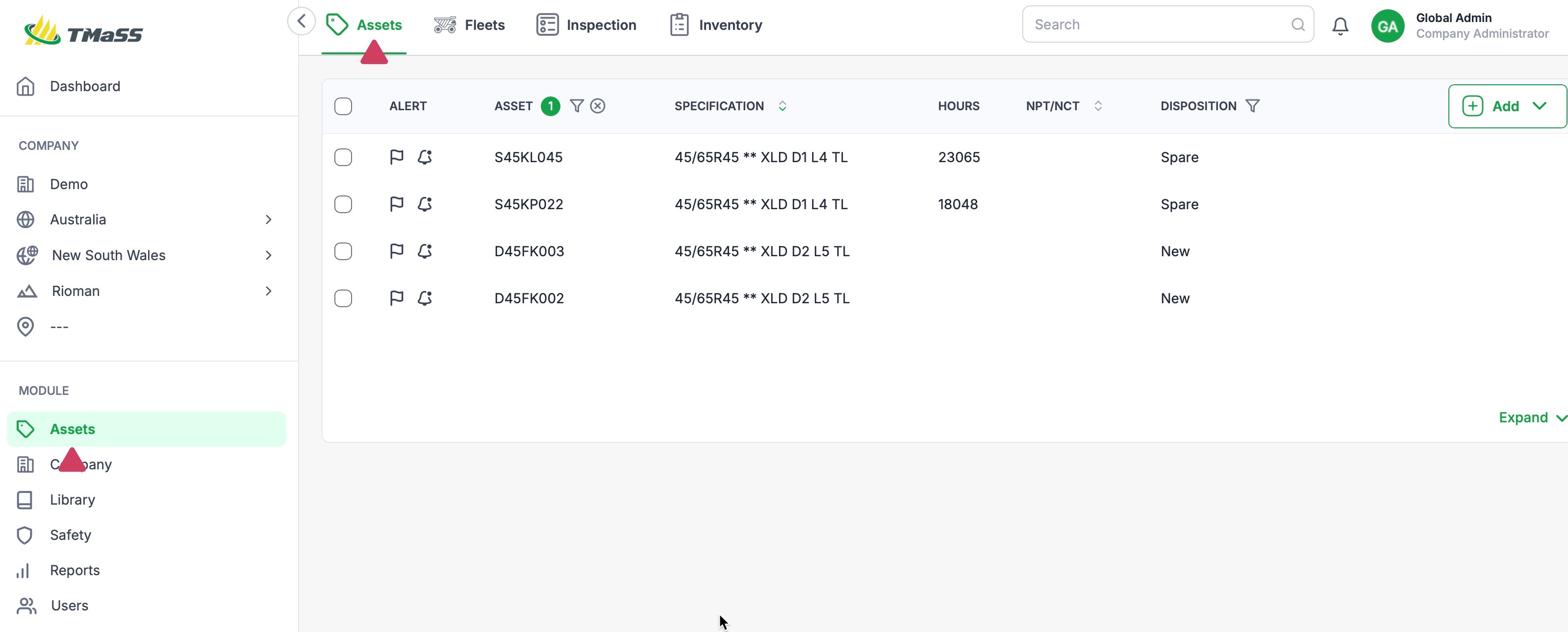
- STEP 1: Navigate to the Assets module, and Assets sub-module.
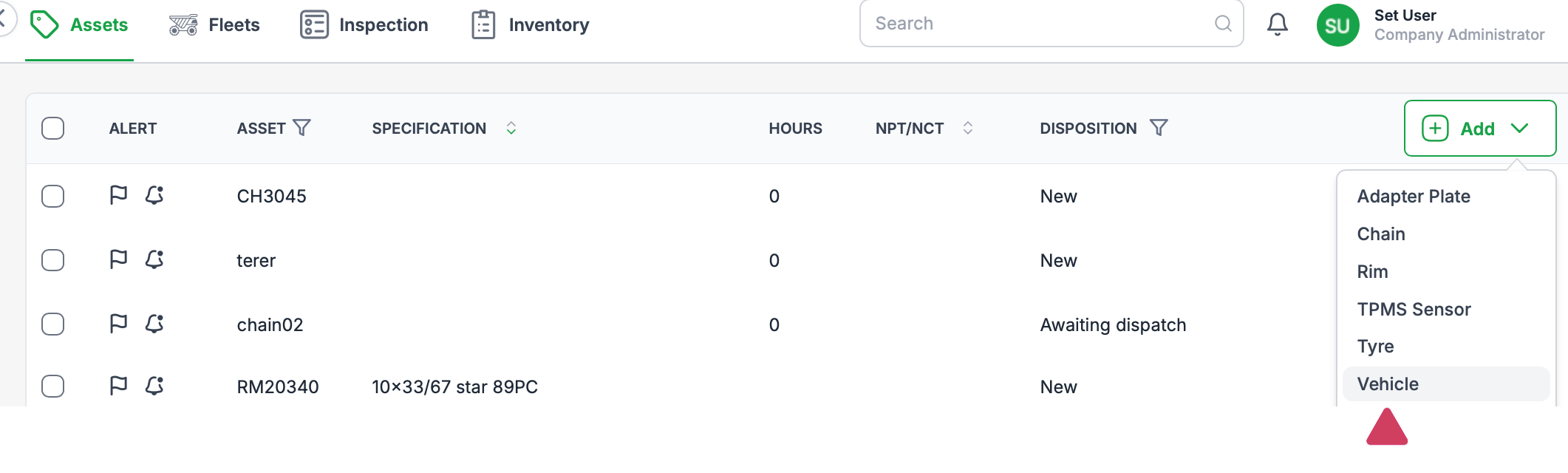
- STEP 2: Click the 'Add' button and select 'Vehicle'
- STEP 3: Click 'Save' to create the vehicle asset.
STEP 1: Navigate to the Assets module, and Assets sub-module.
STEP 2: Click the 'Add' button and select 'Vehicle'
To add a vehicle, click the 'Add' button. From the dropdown menu, click 'Vehicle'
NOTE: Both Pressure test frequency and Inspection frequency as listed in weeks.
TIP: Fleets have bee updated significantly in v3.0. In addition to enhanced reporting features, fleets now allow batch processing of Hour updates, pressure and tread entries as well as inspections.
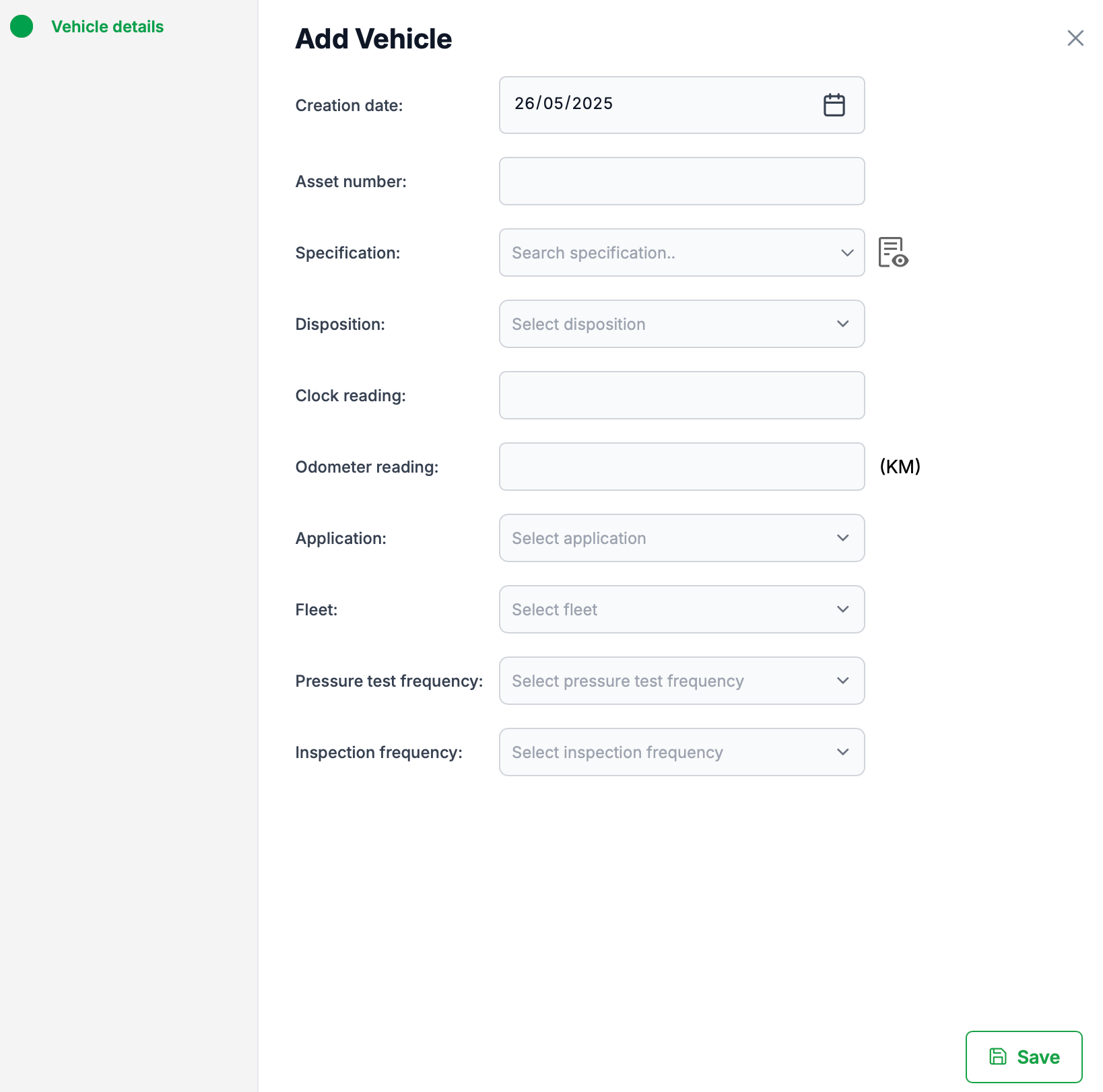
STEP 3: Click 'Save' to create the vehicle asset.
Was this article helpful?
That’s Great!
Thank you for your feedback
Sorry! We couldn't be helpful
Thank you for your feedback
Feedback sent
We appreciate your effort and will try to fix the article