TABLE OF CONTENTS
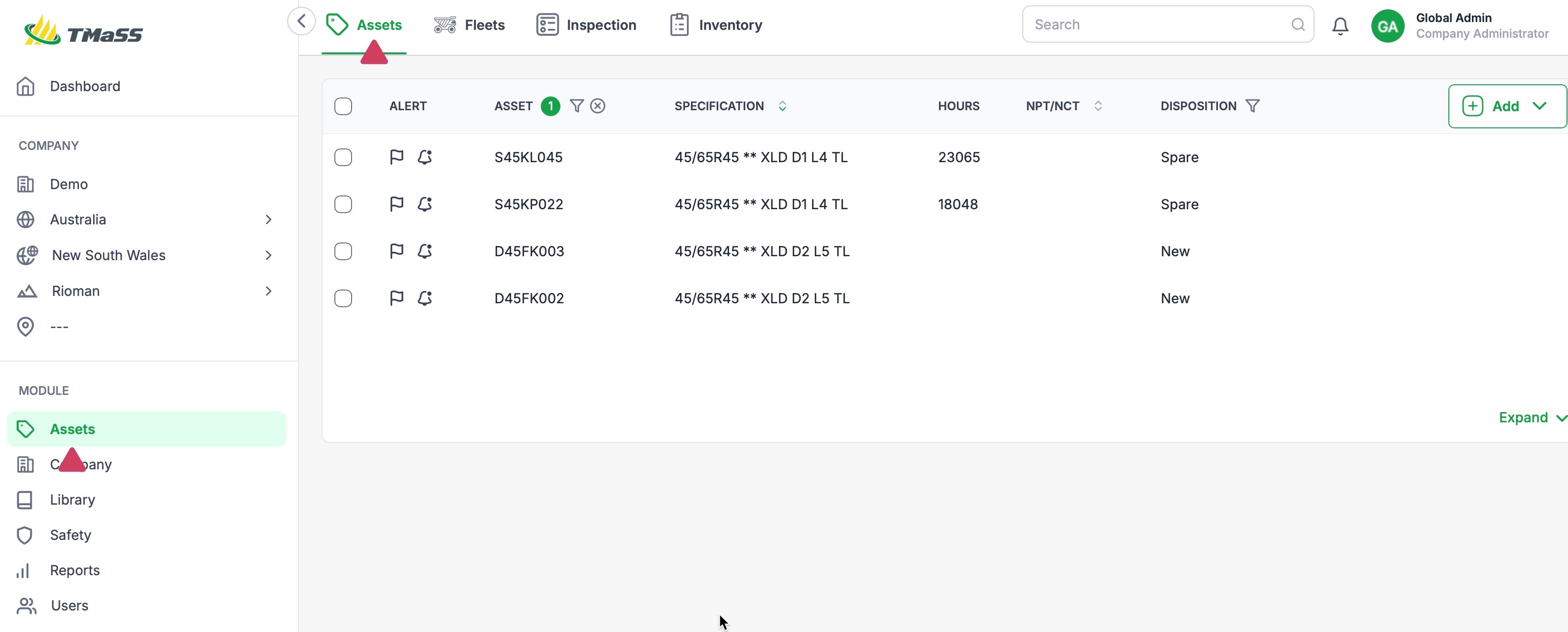
- STEP 1: Navigate to the Assets module, and Assets sub-module.
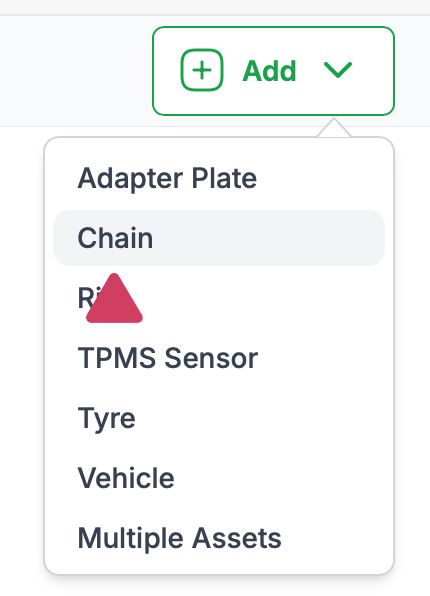
- STEP 2: Click the 'Add' button and select Chain
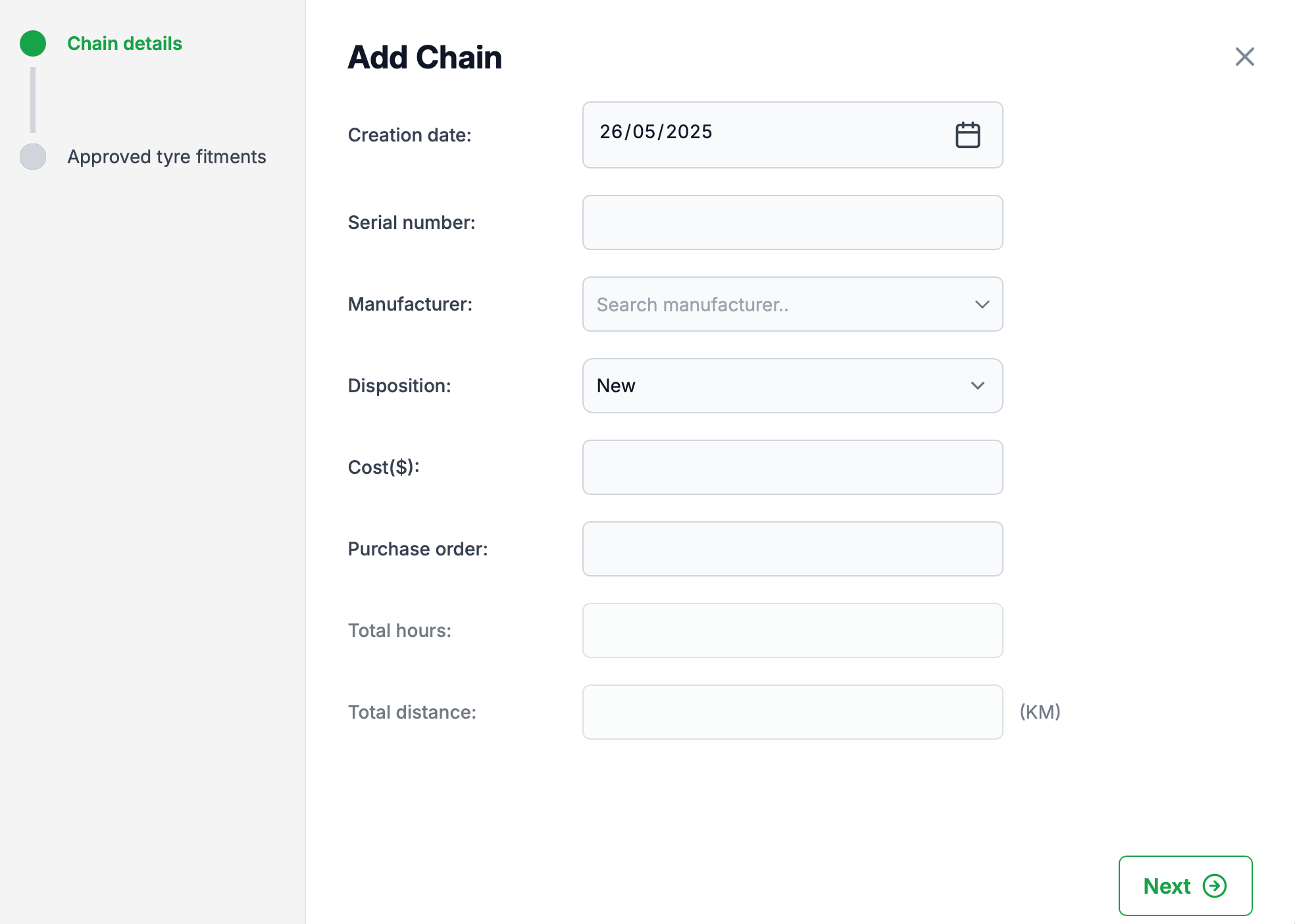
- STEP 3: Enter the Chain asset details
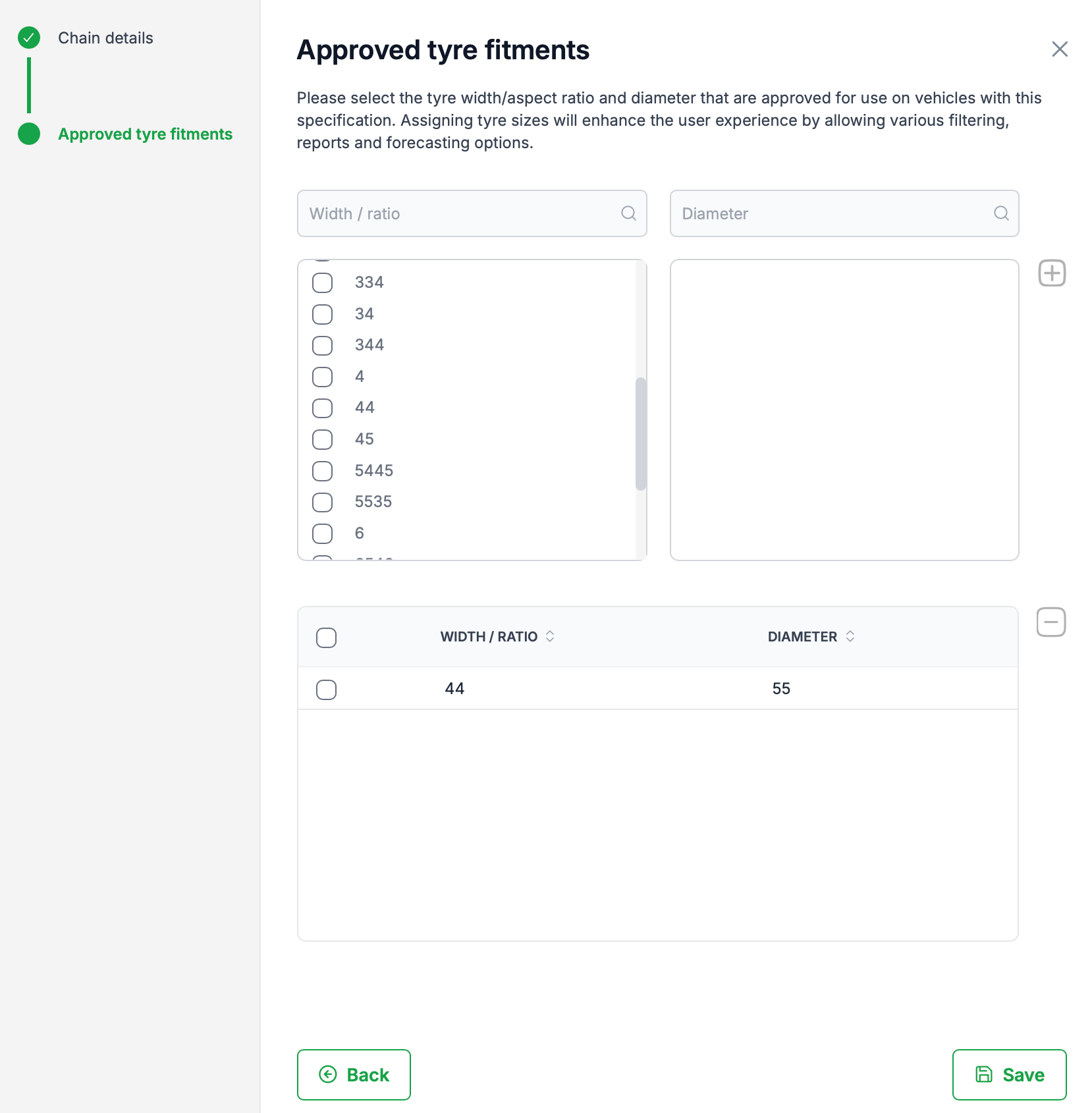
- Step 4: Select the approved Tyre fitments
- Step 5: Click 'Save' to create the asset.
STEP 1: Navigate to the Assets module, and Assets sub-module.
STEP 2: Click the 'Add' button and select Chain
To add a Chain, click the add button. From the dropdown menu, click 'Chain'
STEP 3: Enter the Chain asset details
Enter the required information and click 'Next' to continue
Step 4: Select the approved Tyre fitments
Although not mandatory, adding approved tyre fitments will filter available chain fitments when assigning to a vehicle that have a specific tyre size.
Step 5: Click 'Save' to create the asset.
Was this article helpful?
That’s Great!
Thank you for your feedback
Sorry! We couldn't be helpful
Thank you for your feedback
Feedback sent
We appreciate your effort and will try to fix the article