TABLE OF CONTENTS
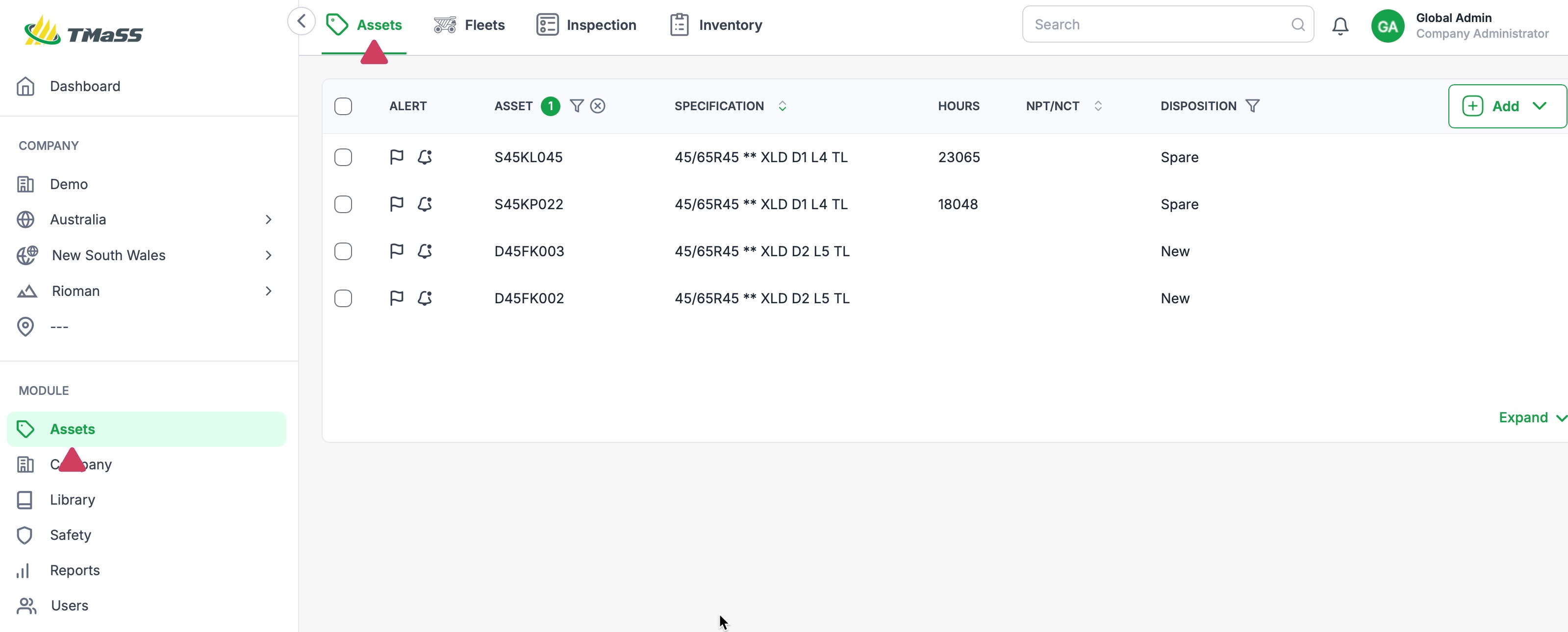
- STEP 1: Navigate to the Assets module, and Assets sub-module.
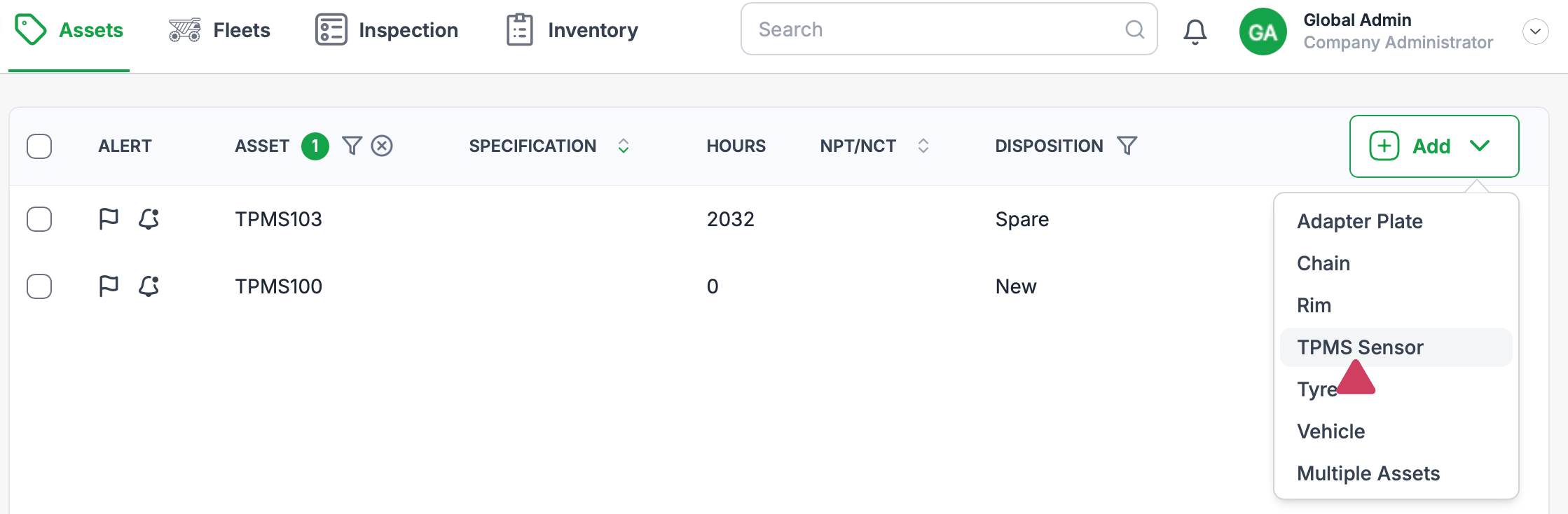
- STEP 2: Click the 'Add' button and select TPMS Sensor
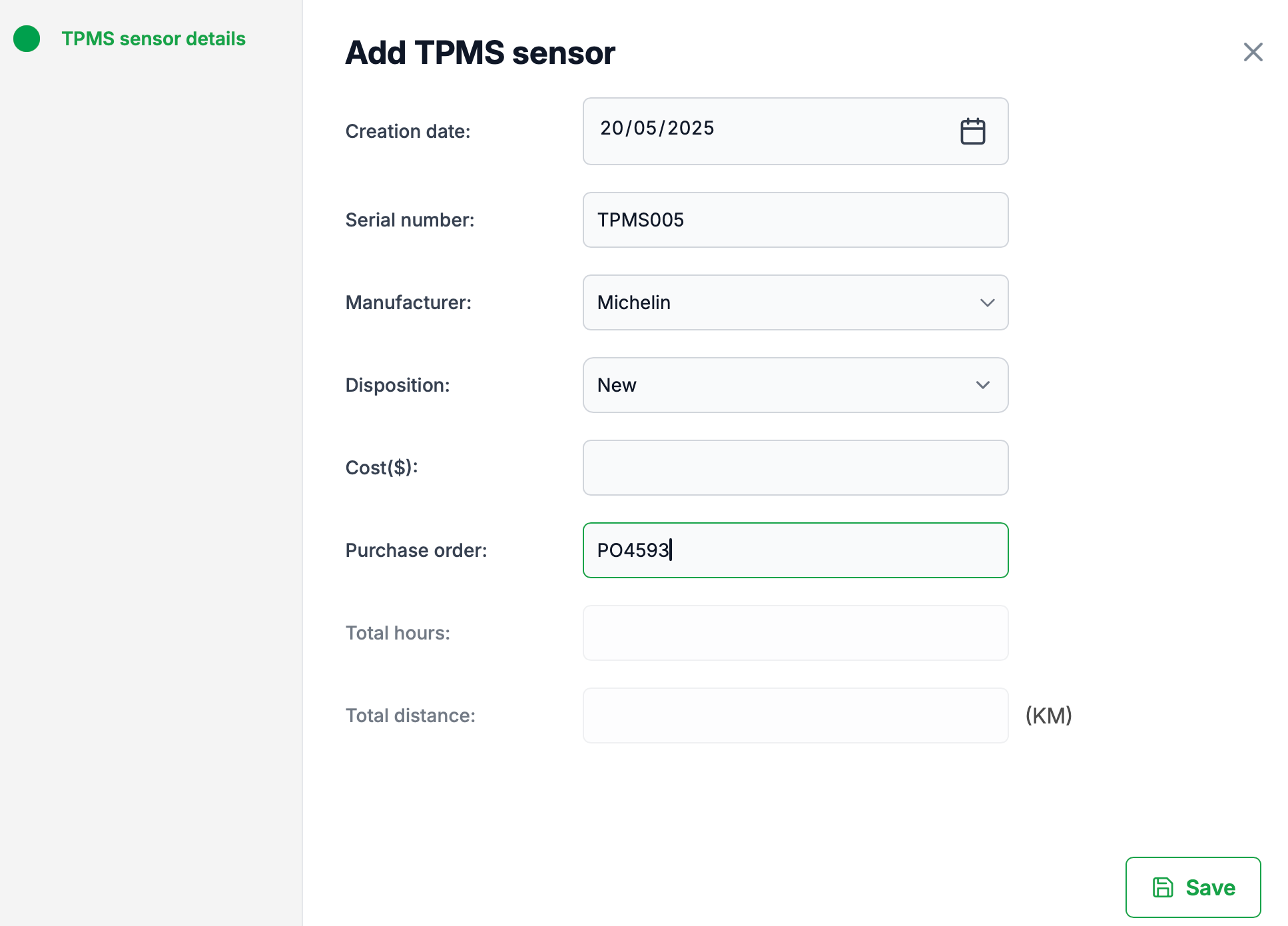
- STEP 3: Enter the required asset information
- STEP 4: Save
STEP 1: Navigate to the Assets module, and Assets sub-module.
STEP 2: Click the 'Add' button and select TPMS Sensor
To add a TPMS Sensor (Tyre Pressure Management System Sensor), click the add button. From the dropdown menu, click 'TPMS Sensor'
Click 'Add'

Select'TPMS Sensor ' from the dropdown menu
STEP 3: Enter the required asset information
STEP 4: Save
Click the save button to save your asset.
Was this article helpful?
That’s Great!
Thank you for your feedback
Sorry! We couldn't be helpful
Thank you for your feedback
Feedback sent
We appreciate your effort and will try to fix the article