TABLE OF CONTENTS
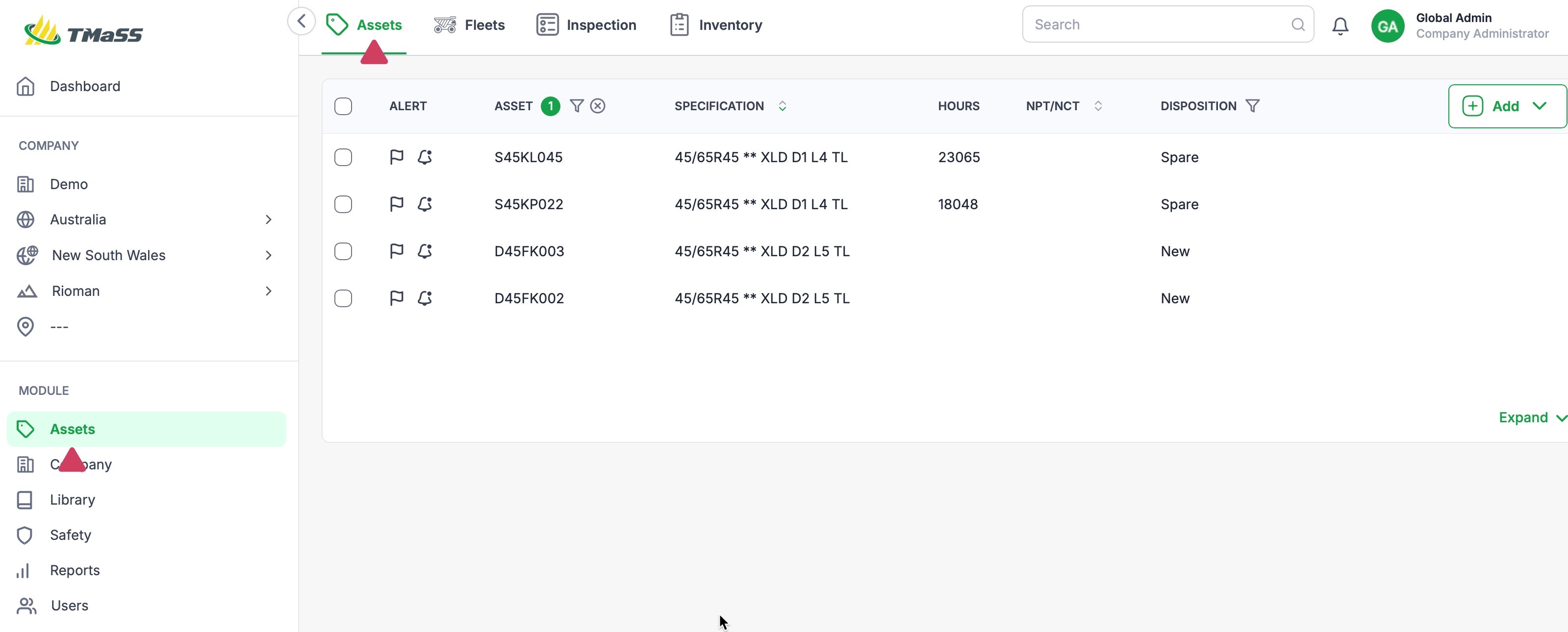
- STEP 1: Navigate to the Assets module, and Assets sub-module.
- STEP 2: Click the 'Add' button and select 'Rim'
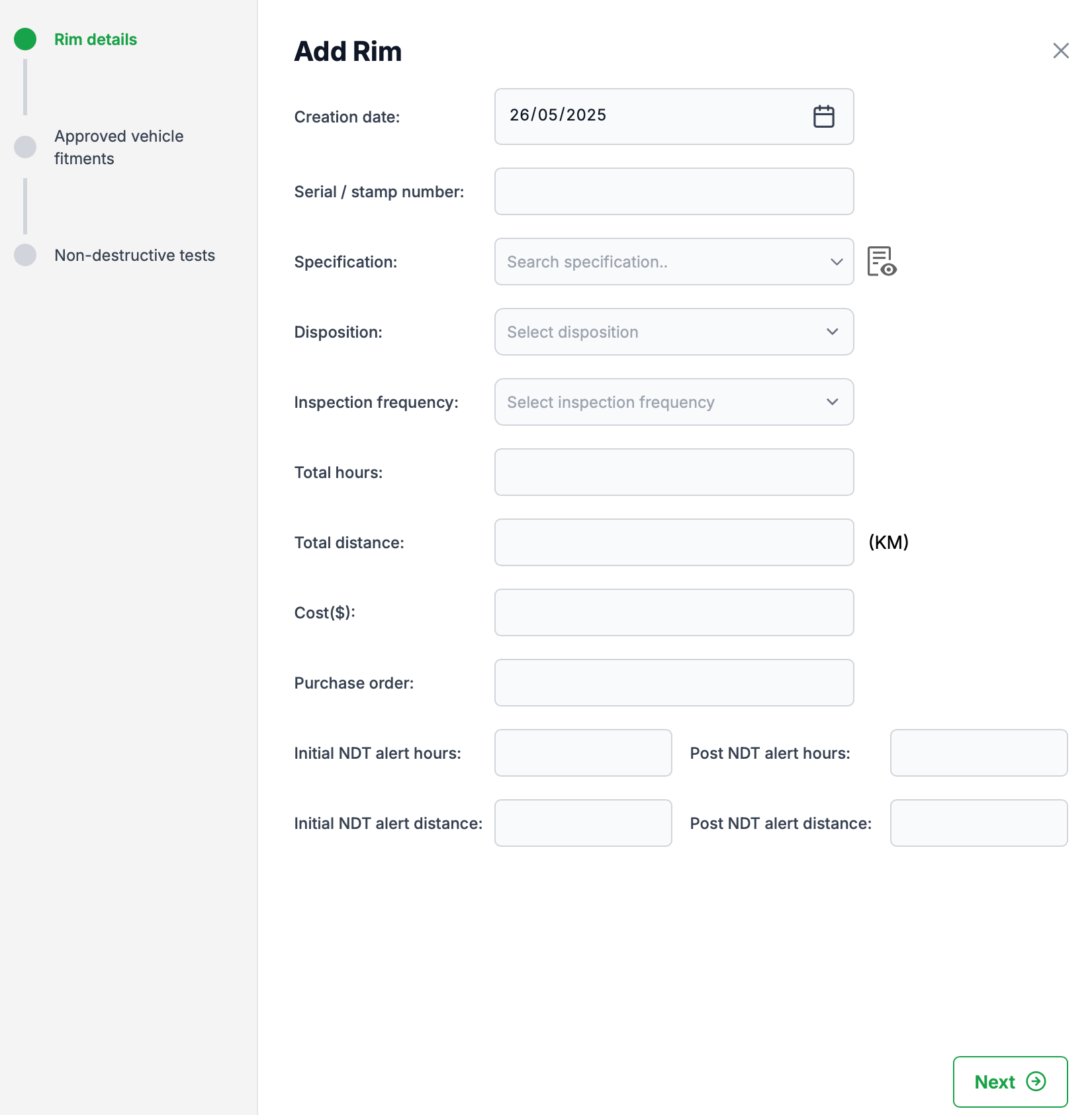
- STEP 3: Enter the Rim details
STEP 1: Navigate to the Assets module, and Assets sub-module.
STEP 2: Click the 'Add' button and select 'Rim'
To add a rim, click the add button. From the dropdown menu, click 'Rim'
Click 'Add'

Select 'Rim' from the dropdown menu.

STEP 3: Enter the Rim details
On the 'Add Rim' dialogue, enter the Rim details and click 'Next' to continue..
NOTE: The inspection frequency is displayed in Months
The Initial and Post NDT alert hours
- Initial NDT alert hours = The hours at which an alert is triggered
- Post NDT alert hours = The hours elapsed after the Initial NDT alert when the post NDT alert is sent. This field is accumulative. Meaning. If the Initial is set at 20,000hrs, the the Post is set at 10,000hrs, then the post NDT alert will be sent at 30,000hrs.
The Initial and Post NDT alert distance
- Initial NDT alert distance = The distance at which an alert is triggered
- Post NDT alert distance = The distance travelled after the Initial NDT alert when the post NDT alert is sent. This field is accumulative. Meaning. If the Initial is set at 20,000 Km's, the the Post is set at 10,000 Km's, then the post NDT alert will be sent at 30,000 Km's.
Info: Depending on your system settings, you may see either one or both of the NDT alert fields.
Click 'Next' to continue
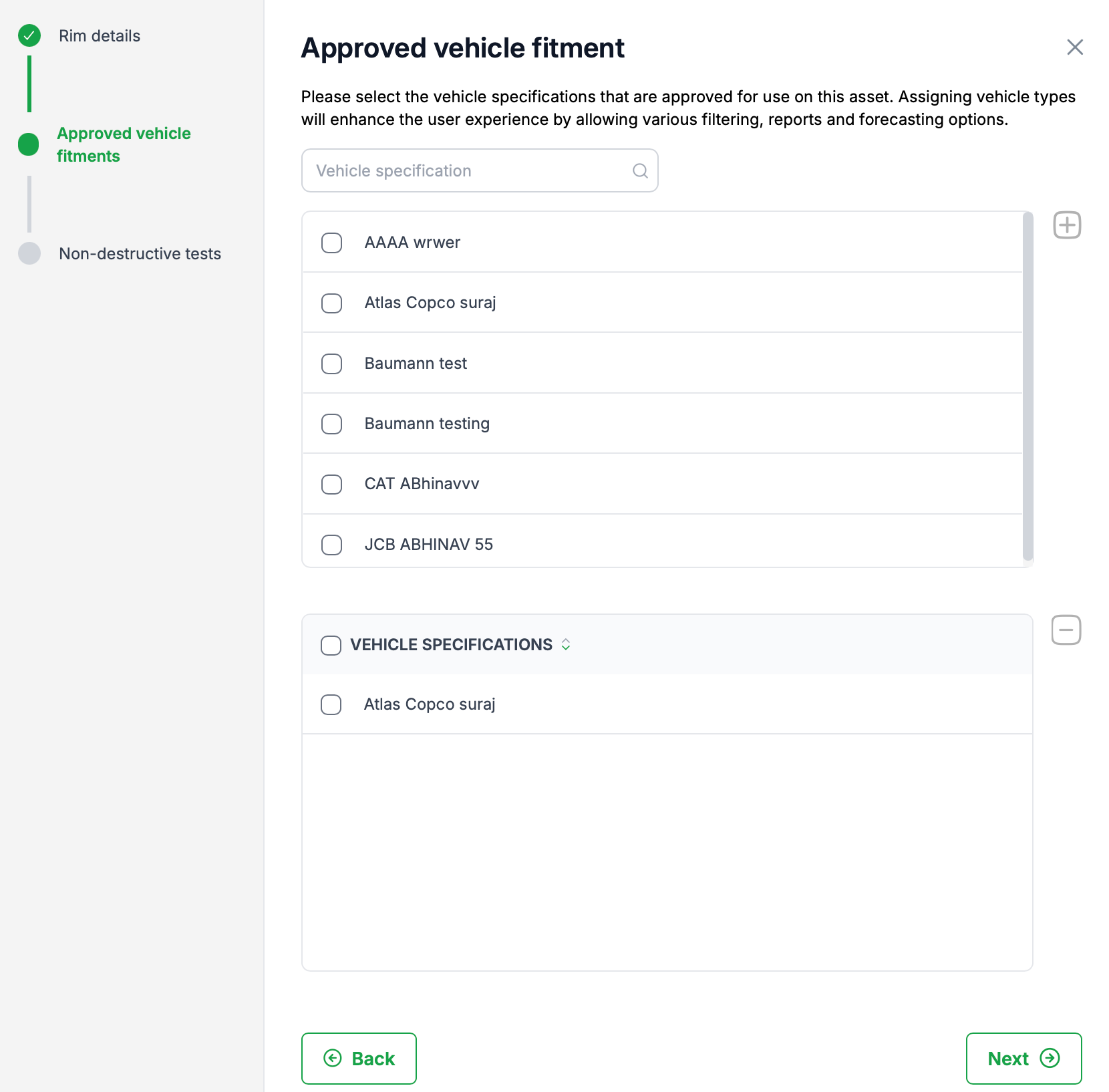
STEP 4: Assign 'Approved vehicle fitment'
Although not mandatory, it is recommended that you select all the approved vehicles types in your fleet that support this rim size. This will allow the filtering of rims when assigning to a vehicle, further enhancing your workflow.
Click 'Next' to continue
STEP 5: Add Non-destructive tests (NDT)
This dialogue allows you to add any existing non destructive tests. If you don't have any tests to enter click save to save the new rim asset.
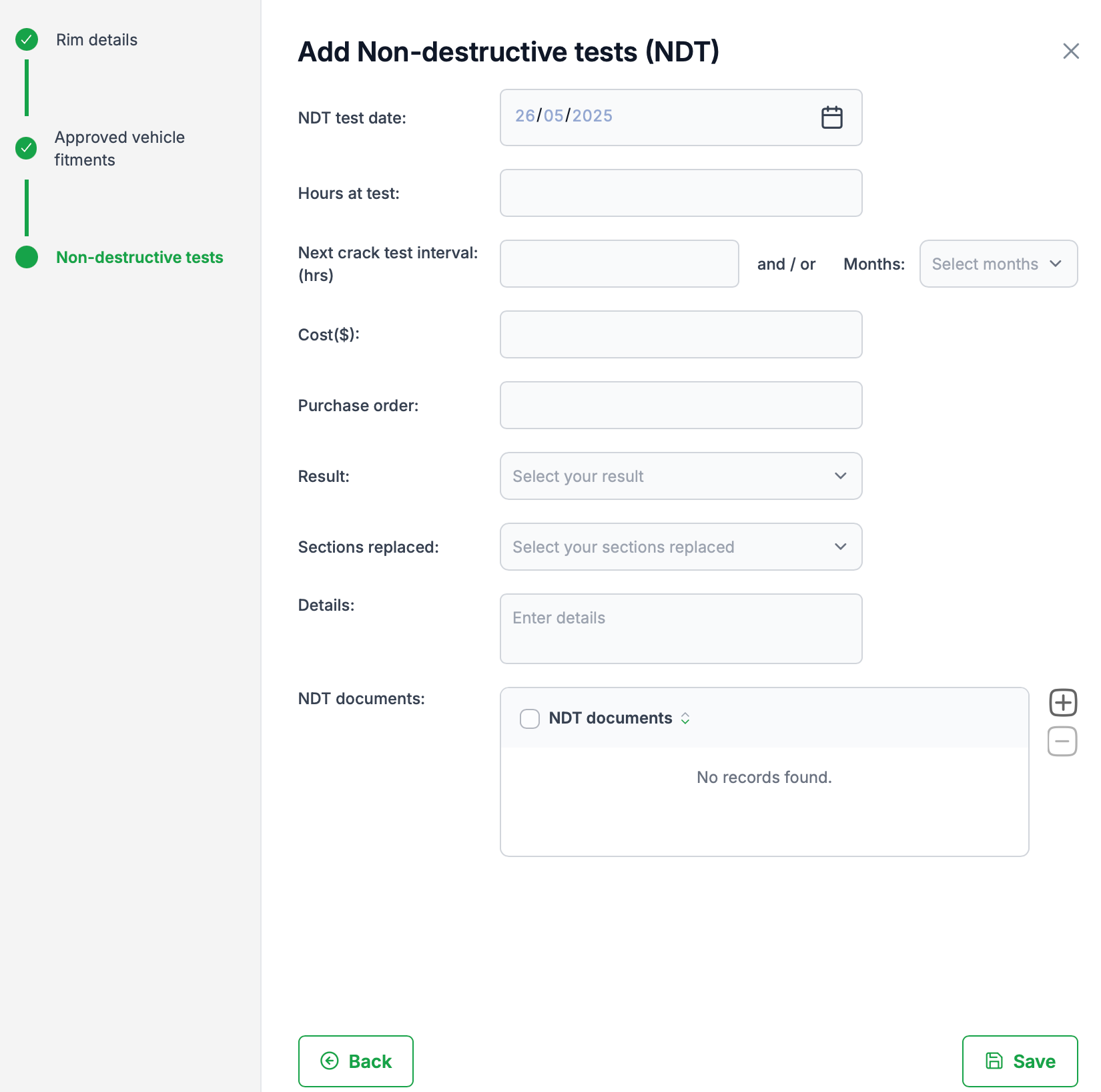
STEP 6: Click 'Save' to finish.
Was this article helpful?
That’s Great!
Thank you for your feedback
Sorry! We couldn't be helpful
Thank you for your feedback
Feedback sent
We appreciate your effort and will try to fix the article