The Change payment method function is managed from the Licensing sub-module in the Company module. It allows you to update the card or PayPal account that future subscription charges are billed to.
⚠️ Permissions & payment type
Only users with the appropriate Company / Licensing Administrator security role can change the payment method.
Changing the payment method is only available for subscriptions that are billed by Credit Card or PayPal.
If your subscription uses a Direct payment method (invoice / bank transfer), please contact TMaSS Support to update your payment details.
1. Open the Change Payment Method screen
Go to Company → Licensing for the required company.
In the Payment Information panel, click Change payment method.
The Change Payment Method dialogue will open (see image above).
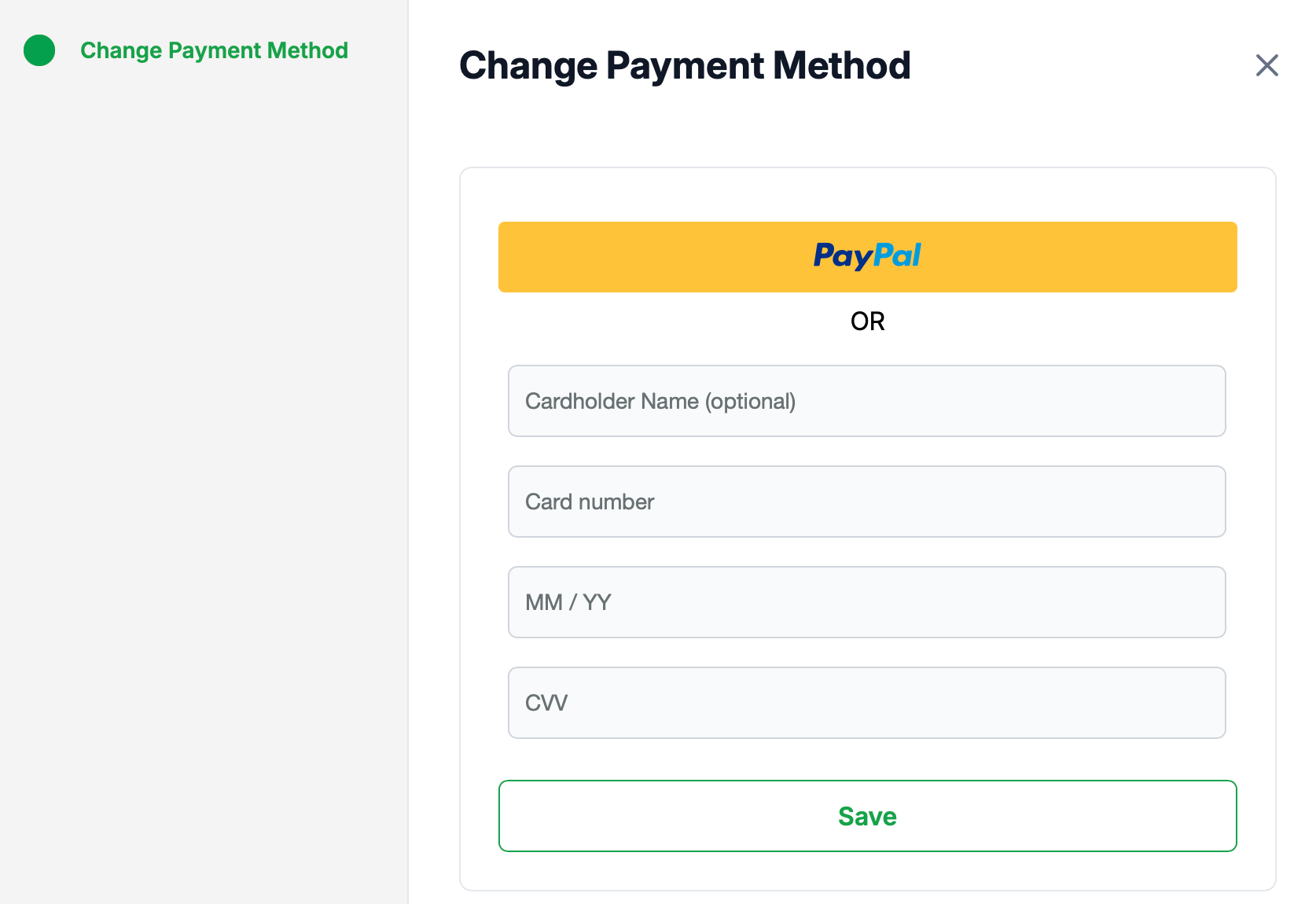
You will see two options on this screen:
A PayPal button at the top.
A Credit Card form below, separated by an “OR” label.
2. Switching to / updating PayPal
On the Change Payment Method screen, click the PayPal button.
You’ll be redirected to PayPal to:
Log in to your PayPal account, and
Authorise TMaSS to charge your subscription to that account.
Once approved, you’ll return to TMaSS and PayPal will be set as your active payment method for future billing cycles.
3. Updating credit card details
To pay by credit card (or update an existing card):
On the Change Payment Method screen, complete the card details section:
Cardholder Name (optional)
Card number
MM / YY (expiry date)
CVV (security code)
Check that all details are correct.
Click Save.
If the details pass validation, the new card is stored securely by the payment provider and will be used for the next and future invoices.
4. What happens after changing the payment method?
The new method applies to all future automatic charges for that subscription.
Your current plan, user packs and site packs remain unchanged.
If there is any issue charging the new method, your payment provider may decline the transaction; in that case, update the details again or contact your bank/PayPal.
5. Direct payment customers
If your Payment Information indicates that you are billed by Direct invoice / bank transfer, the Change payment method button will not be available. To move to Credit Card or PayPal billing, or to update existing direct payment arrangements, please contact TMaSS Support for assistance.
Was this article helpful?
That’s Great!
Thank you for your feedback
Sorry! We couldn't be helpful
Thank you for your feedback
Feedback sent
We appreciate your effort and will try to fix the article