The user module in TMaSS version 3.0 (v3.0) is a new addition to the product offering. v3.0 now provides the customer the freedom to manage their users and security quickly and easily, while providing the security granularity needed to target user functionality, and provide secure and reliable information.
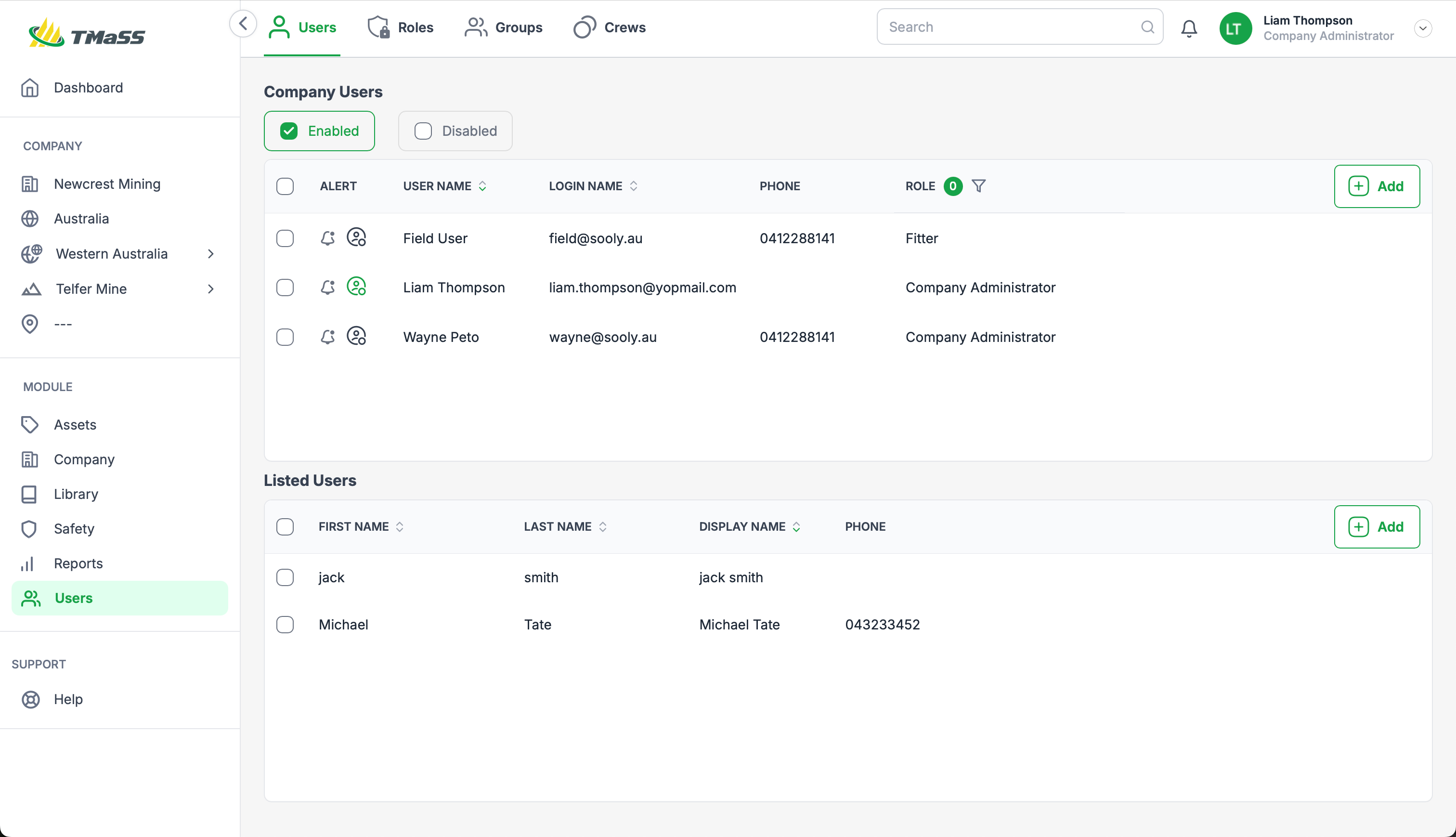
There are three submodules within the Users module:
- Users
- Roles
- Groups
- Crews
User Types
v3.0 now has 3 user types, each provide varying use cases that help with licensing and use cases. The user types are:
- Named users
- List users
- Crews
Named users
A named user has login privileges and is assigned roles, groups, crews, companies and sites. These users utilise 1 user license.
Listed users
A listed user is new type of user that doesn't have login privileges, their function is only for references in modules such as in safety observations and crews. For example, when you create a safety observation or crew, the list of users will show both users and listed users. These users utilise 1 listed user license.
Crews
Crews are a new addition to TMaSS. Crews are a group of users that has its own login credentials. Crews are targeted to teams whereby a group of users have only a single computer and function audition is required. When a function is completed the crew will be associated with that function allowing for future followup if required. A crew requires a single named user to be assigned as the crew leader. A crew utilises 1 user license.
Roles
A user role is a predefined set of permissions and access levels assigned to users based on their job function or other criteria. It determines what a user can do within the system such as reading, writing, or deleting data, or accessing specific features, along with the data they can access.
Groups
A group is a collection of roles treated as a single entity for managing complex permissions and access. This allows administrators to easily grant or restrict access to functions and resources without individually managing each user's access.
Was this article helpful?
That’s Great!
Thank you for your feedback
Sorry! We couldn't be helpful
Thank you for your feedback
Feedback sent
We appreciate your effort and will try to fix the article