The user module is used to manage and view and modify user information within TMaSS, including their roles, permissions, and site access. Additionally,
TMaSSS offers various user roles with different levels of access and permissions, such as company administrator,
administrative officer, and various support roles. Administrators can assign these roles to users to delegate specific responsibilities.
There are three user types in TMaSS 3.0
- Named
- Listed
- Crews
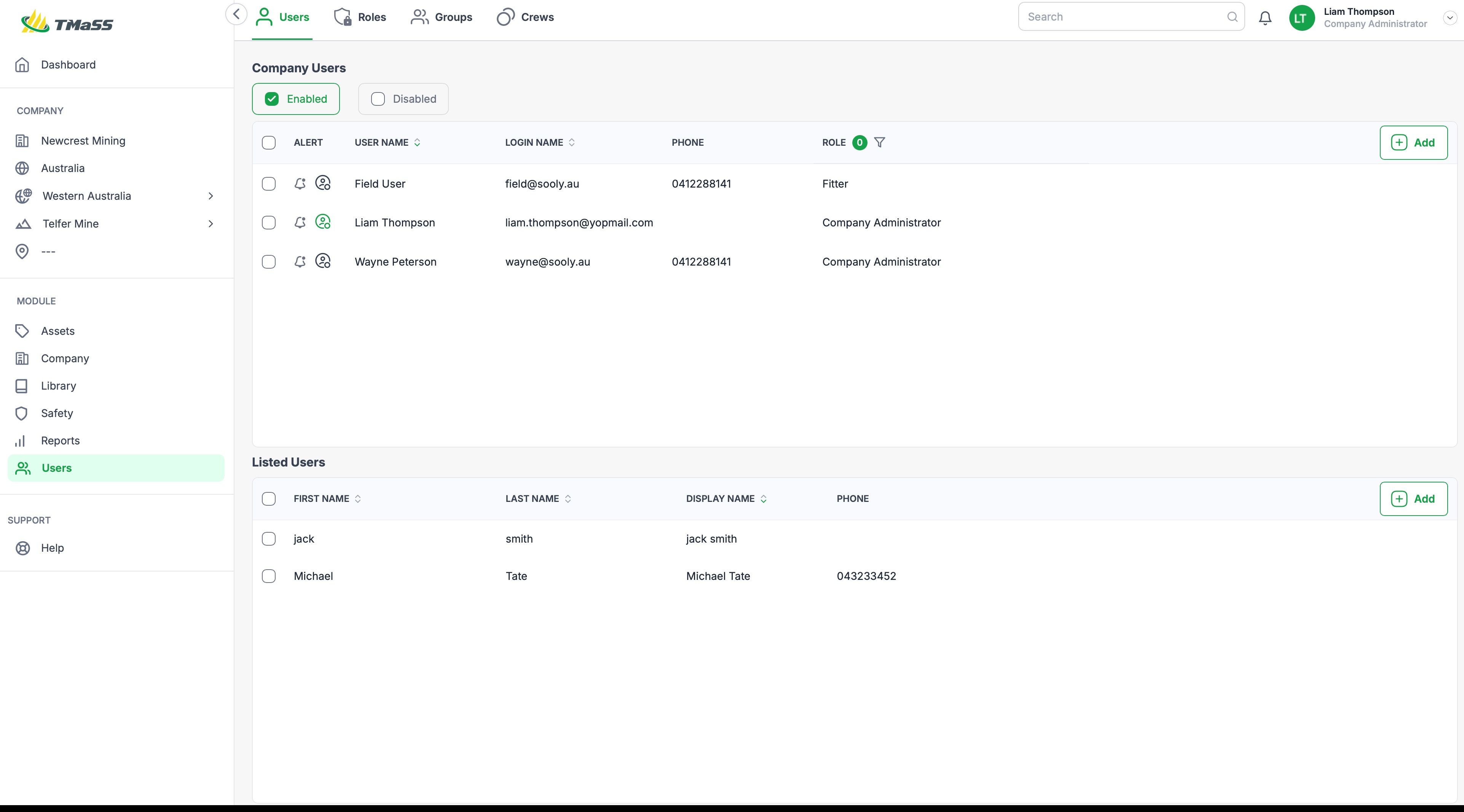
User Functions
Users submodule lists both company users and listed users and it is here that you create, modify and delete users. As with TMaSS version 2.0 (v2.0) each user continues to have a context menu when hovering over the user with the mouse pointer, as shown below

In addition to the single row context menu items, there multi-select, where you can complete functions on a group of users. This allows an administrator to logout users, disable users and delete users.

Function icons
| Function | Icon |
|---|---|
| Copy |  |
| Disable |  |
| Edit |  |
| Reset password |  |
| Delete |  |
| Logout |  Users with a green or online status can be logged out. Users with a green or online status can be logged out. |
| Menu |  |
| Status |  Green denotes a user that is currently online, or logged in to the system. |
User Types
Named users:
Named users are users who can log into TMaSS and run various functions based on their assigned roles. A named user utilised one user license and is able to login on both the web and mobile applications.
List users:
Listed users are users who are listed throughout TMaSS and don't have login privileges. Area that you may see them are audit logs and the safety module. Listed users utilise one listed user license.
Crews:
Crews are a special user type. Crews are a group of named or listed users. Crews are primarily used in situations where a group of users have access to a single computer, this can help to limit the need of multiple login operations or a single user being responsible for data entry where the device is used by multiple different users. A crew utilises one user license and requires a named user to be assigned.
Was this article helpful?
That’s Great!
Thank you for your feedback
Sorry! We couldn't be helpful
Thank you for your feedback
Feedback sent
We appreciate your effort and will try to fix the article