TABLE OF CONTENTS
The Add Repairs feature allows you to record damage, track repairs, and maintain a full repair history for a tyre asset. This helps ensure accurate maintenance records and supports informed decisions about tyre use.
Key Points
All tyres, regardless of their disposition, can have repairs added.
The repair record can include damage details, repair results, and fitment location for future use.
If damage has already been reported through a tyre inspection, it will automatically appear in the repair screen.
Steps to Add Damage or Repairs
1. Open the Add Repairs Menu
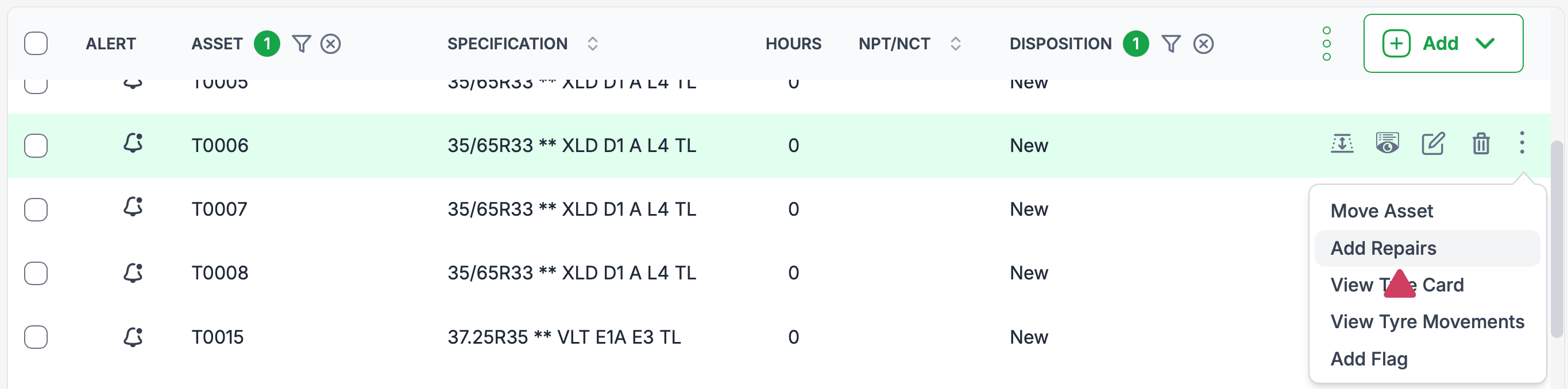
Locate the tyre asset in the asset list.
Hover your cursor over the tyre row to display the three dots menu (
⋮).Click the three dots to open the dropdown menu.
Select Add Repairs.
2. Complete the Add Repair Form
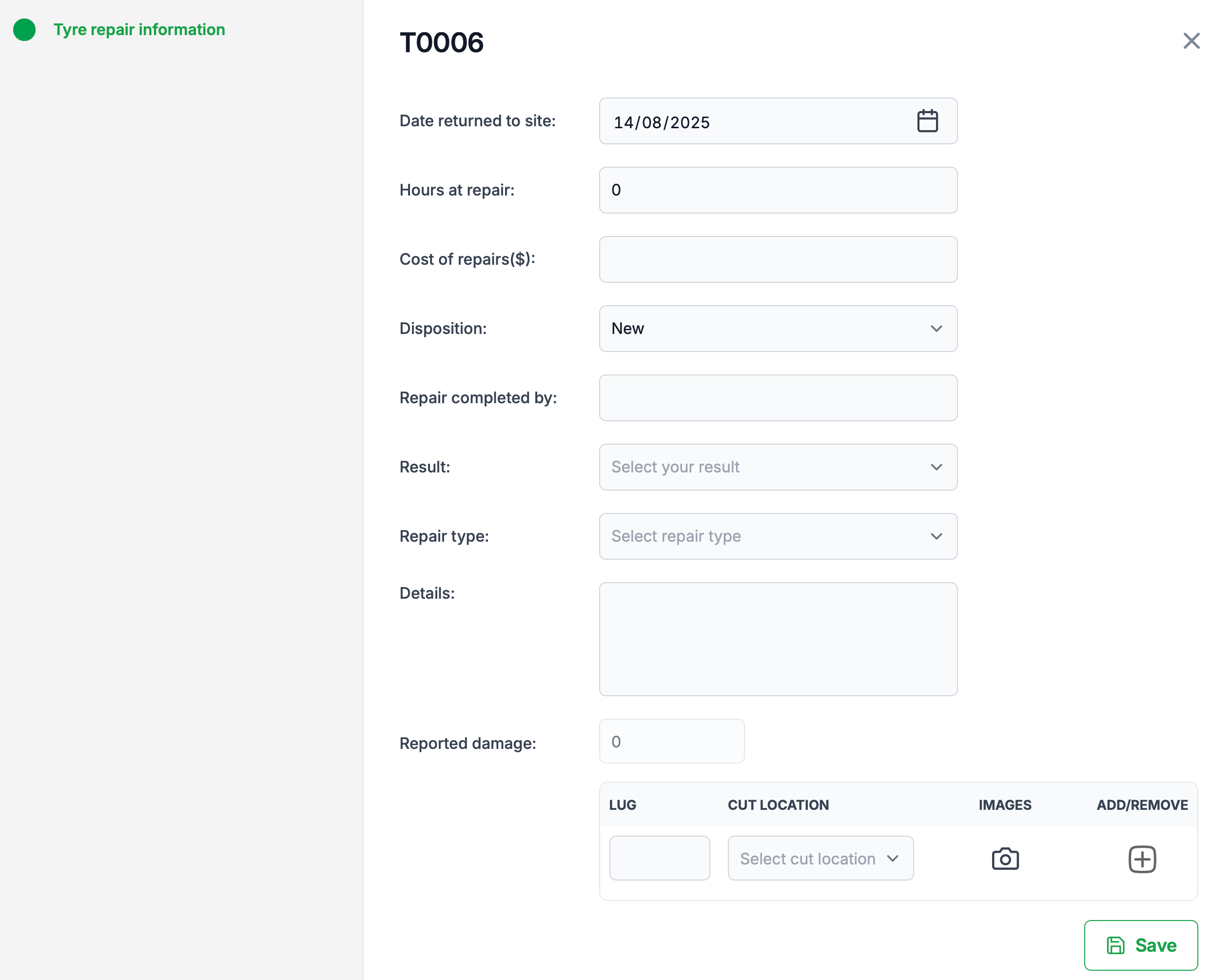
The Tyre Repair Information dialog will open. Here, you can enter:
Date returned to site – When the tyre came back from repair.
Hours at repair – Number of hours spent in repair.
Cost of repairs ($) – Total repair cost.
Disposition – Current status after repair (e.g., Spare, Repair, etc.).
Repair completed by – Name of the individual or company who performed the repair.
Result – Select from:
Passed
Failed
Repaired
Repair type – Select from:
Intermediate
Major
Major Plus
Minor
Minor Plus
Oversized
(Repair type determines where the tyre is authorised to be fitted in the future)
Details – Add any notes about the repair.
3. Add or Manage Damage Records
If damage was reported in a tyre inspection, it will be displayed in the Damage List section. You can:
Add new damage:
Enter the Lug number where the damage is located.
Select the Cut location from the dropdown.
Upload an image of the damage.
Remove existing damage:
Click the minus (-) icon next to the damage entry.
4. Save the Repair Record
Review all entries for accuracy.
Click Save to finalise the repair record.
Tips
Always upload clear images of damage for reference.
Include detailed notes to assist future inspections and maintenance planning.
Use accurate repair types to ensure correct future placement of the tyre.
Was this article helpful?
That’s Great!
Thank you for your feedback
Sorry! We couldn't be helpful
Thank you for your feedback
Feedback sent
We appreciate your effort and will try to fix the article