This article explains how to update a vehicle’s tread depths.
Using the Add Tread Depth dialogue, you can:
Adjust the job date (for back-dating or future-dating entries)
Update the vehicle's tyre treads for each position. (in & outer treads)
Add a comment
1. Find the required asset, from it's hover context menu click the tread icon

2. On the vehicle tread details dialogue select each position and add the inner and outer treads
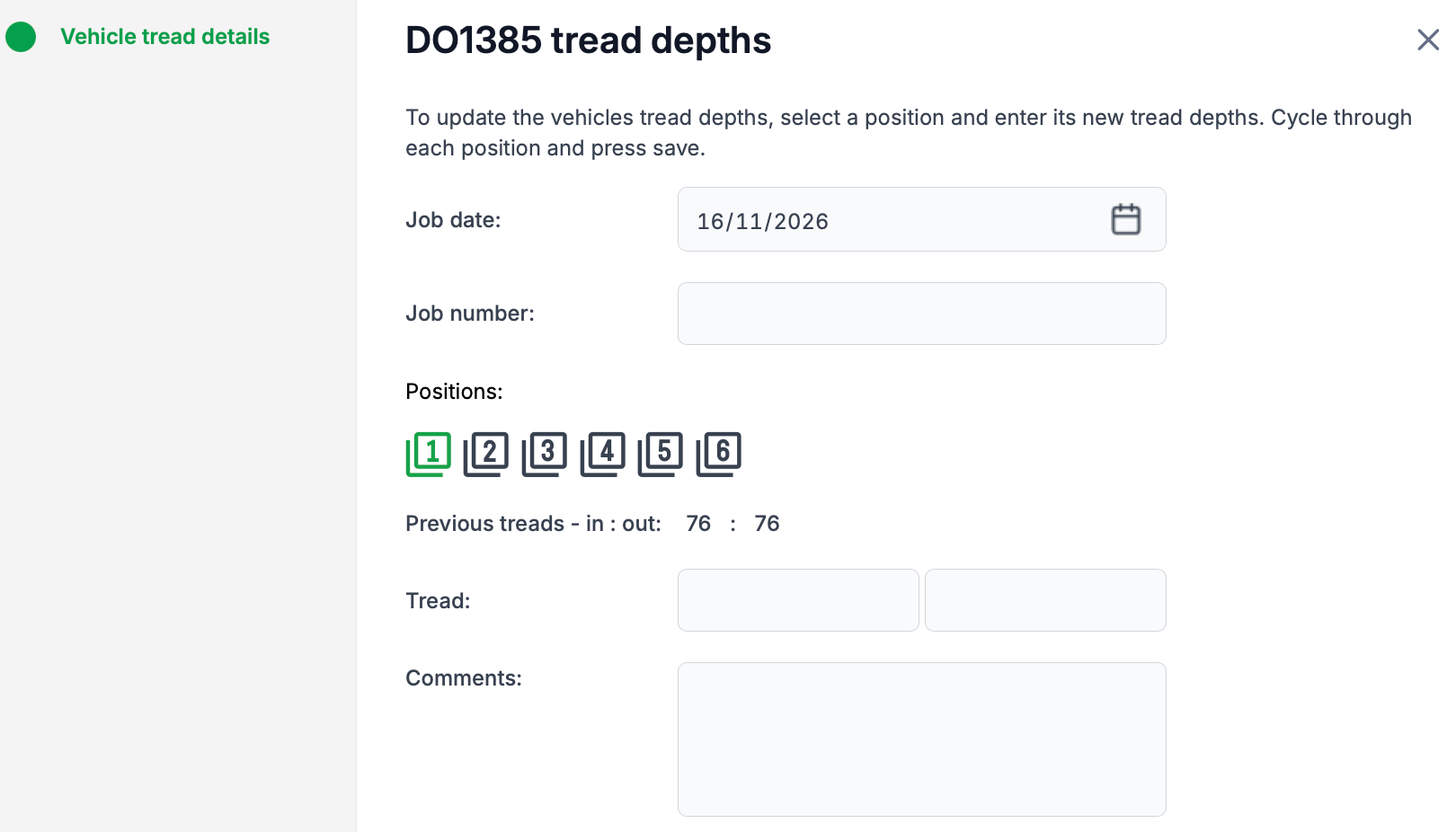
3. To finish, click save to save your entries and exit.
Was this article helpful?
That’s Great!
Thank you for your feedback
Sorry! We couldn't be helpful
Thank you for your feedback
Feedback sent
We appreciate your effort and will try to fix the article